Marketplace alerts.Find listings faster.
Marketplace alerts for buyers who know what they’re looking for. Monitor Facebook Marketplace, Craigslist, eBay and more. Set your filters and receive alerts for new matching listings.
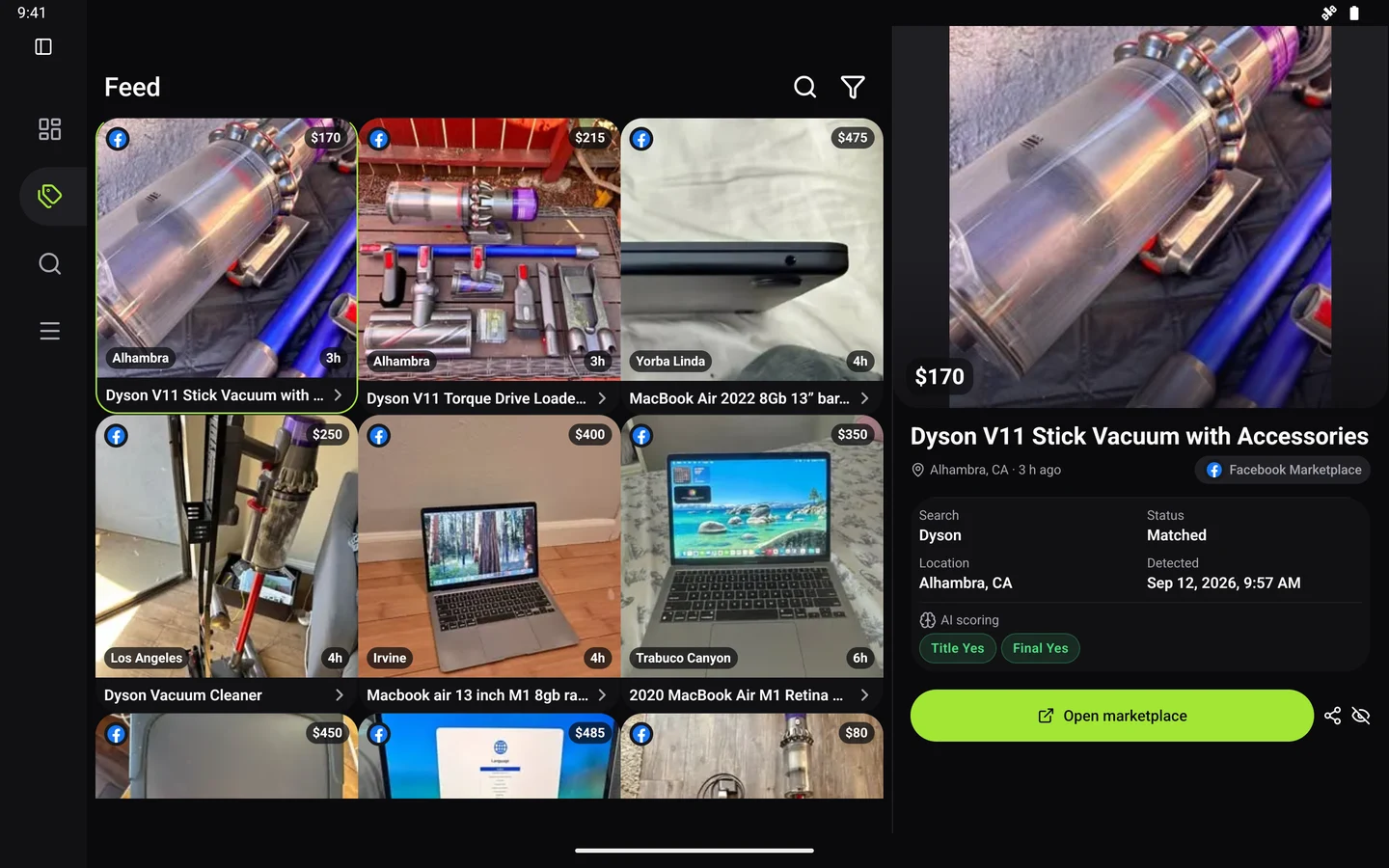
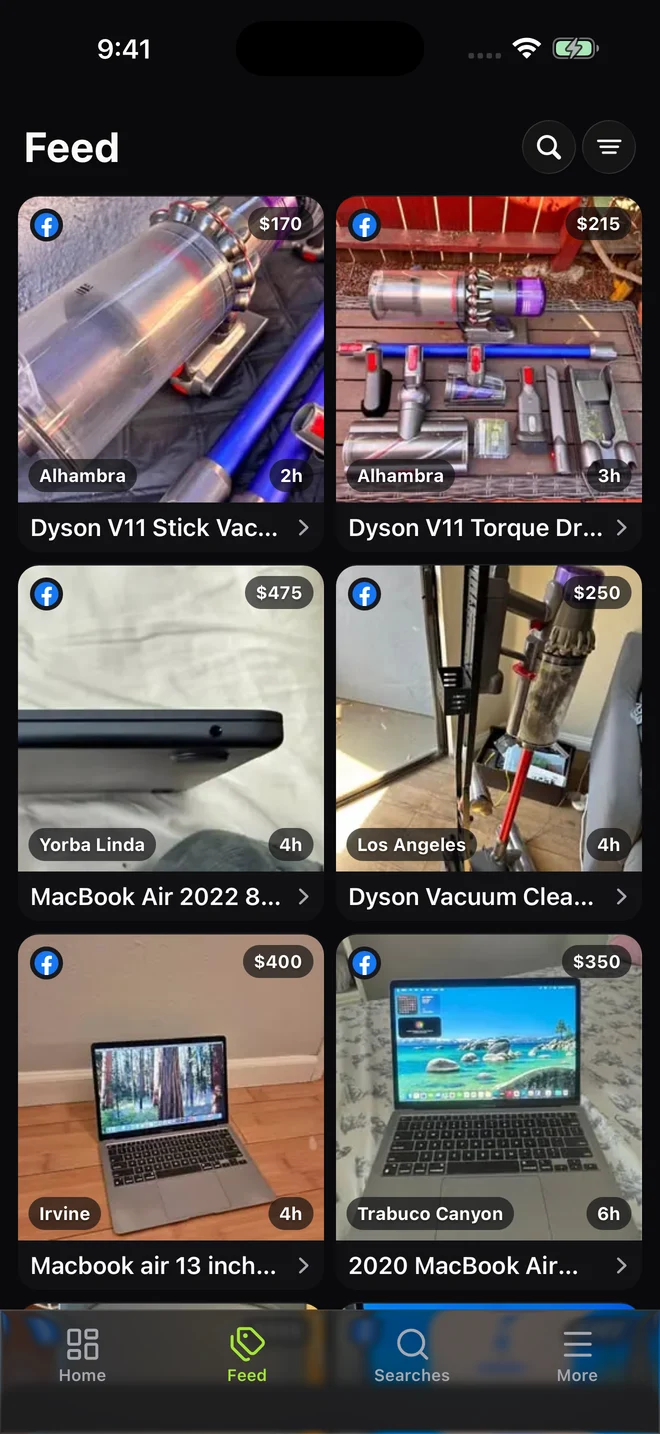
Your searches.
Synced across devices.
Actual app screens
Monitor these marketplaces from one account.





01 / PRODUCT TOUR
Explore the app.
Searches, matches and alerts.
Set the criteria. Review the matches.
Manage, edit and pause your searches.
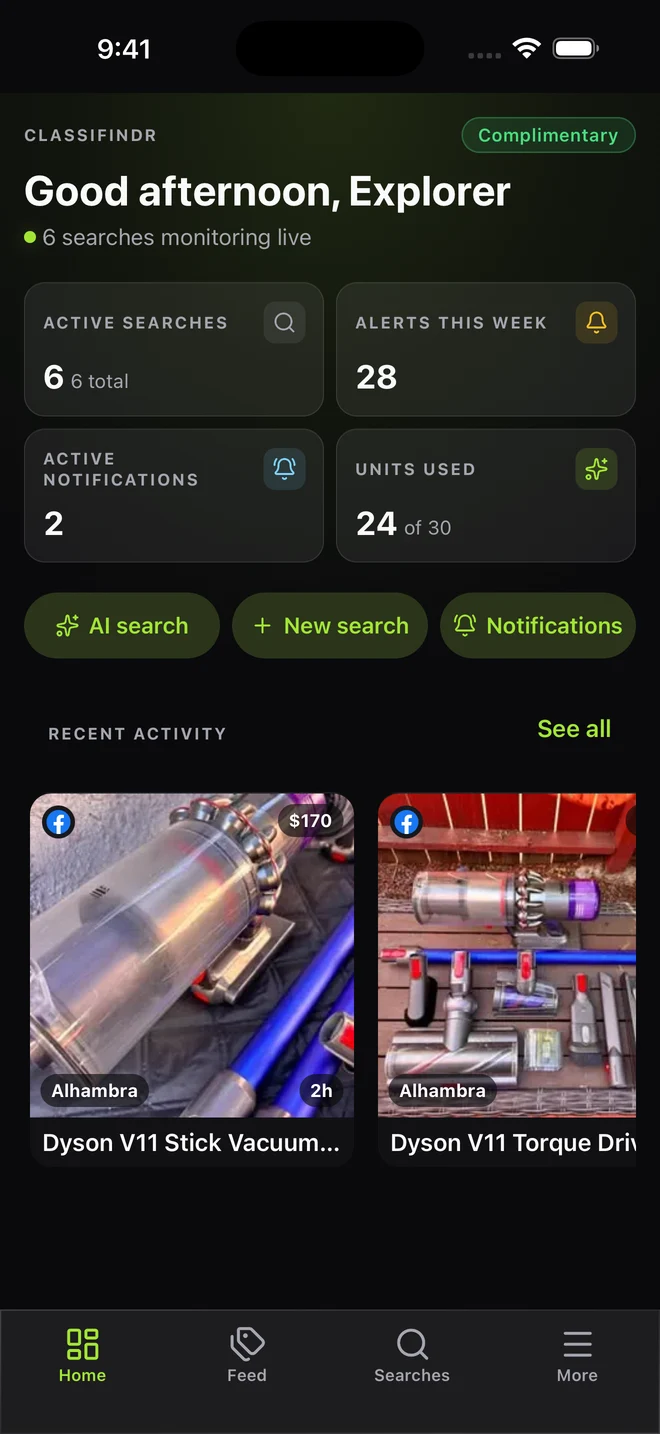
View search activity and available units.
Browse matching listings in your Feed.
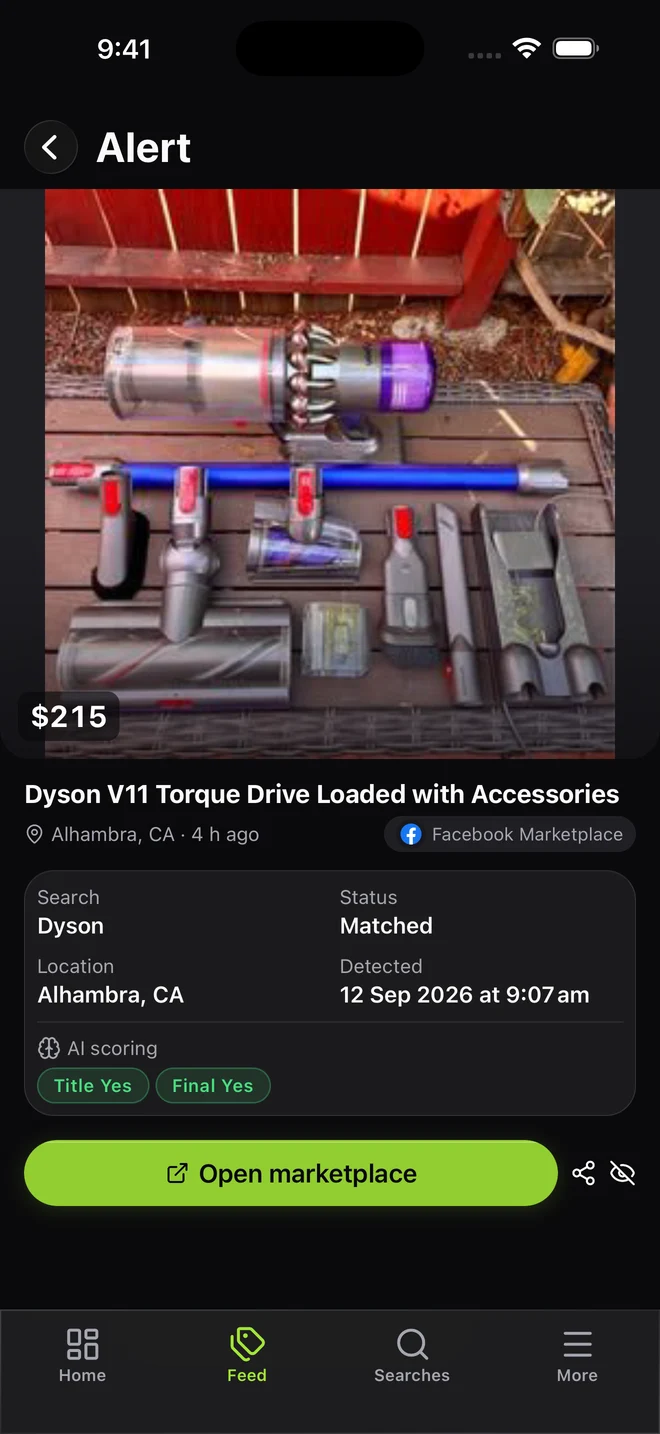
Review photos, price and match details.
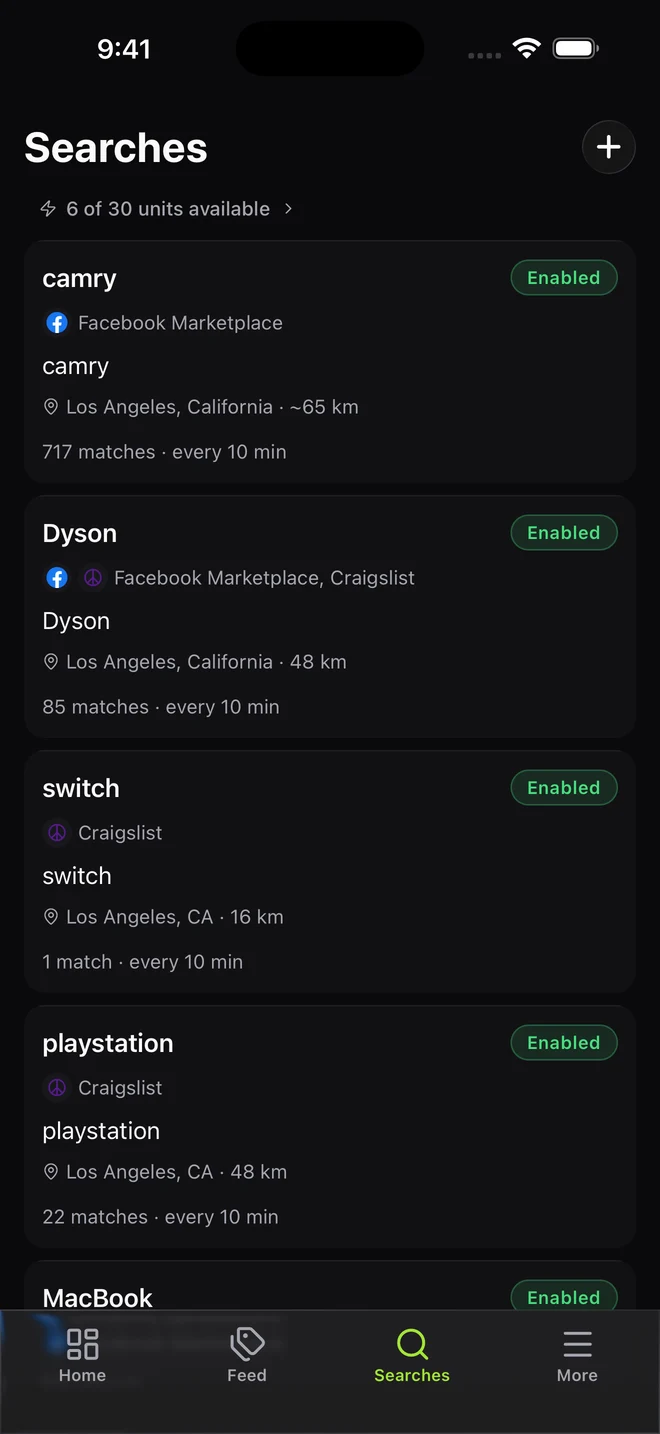
Manage, edit and pause your searches.
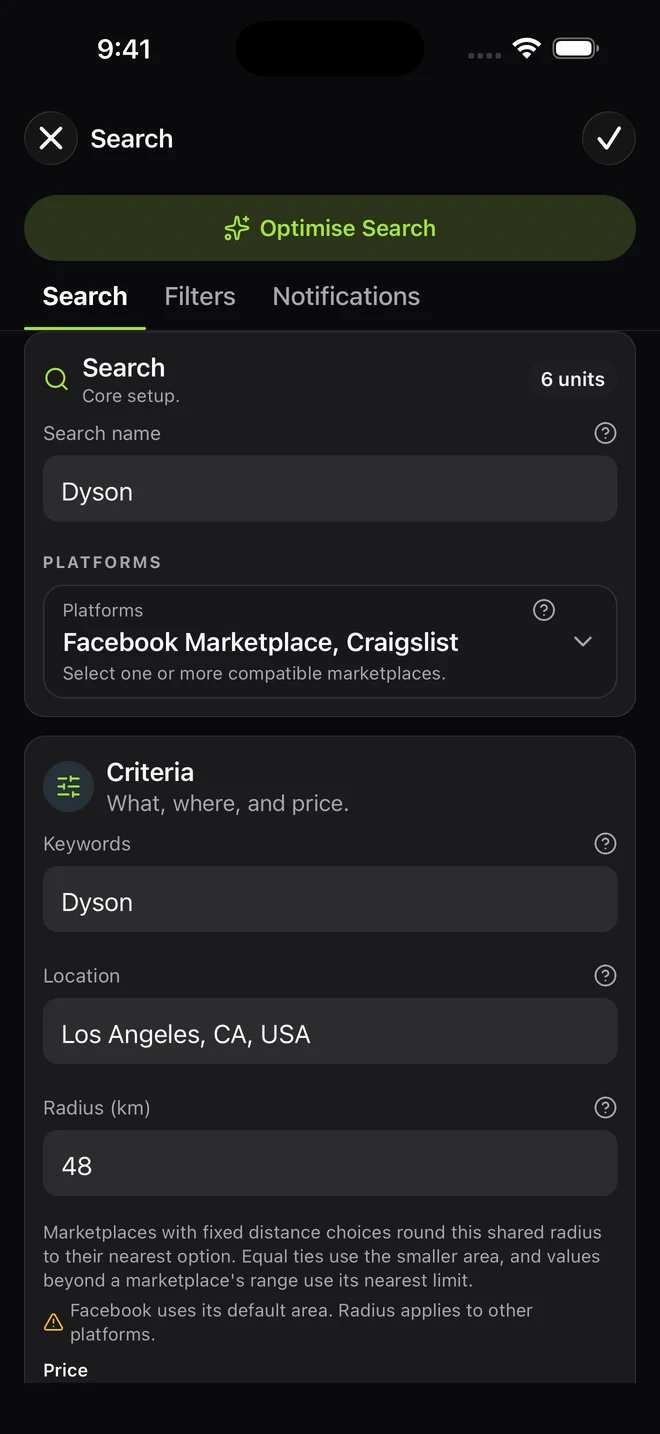
Set keywords, location, price and filters.
02 / CHECK SPEED, FILTERS AND ALERTS
Choose your search
check speed.
Check for new listings every 1, 10 or 60 minutes. Choose a speed for each search.
For competitive searches
Keep a close eye on sought-after items with checks every 1 minute.
Filter out irrelevant listings.
Combine keyword rules, price and AI relevance. Review filtered-out listings to understand what to tune.
Choose where you receive alerts.
Choose the right channels for each search.
- Mobile push
- Telegram
- Discord
- Web Push
- Webhooks
03 / SEARCH IDEAS
Find furniture, cars
and resale stock.
Find furniture for a new space, source stock for your next sale, or keep an eye on the upgrade you’ve been waiting for.
Set up a search for the things you need, including local furniture, home essentials and free items.
Keep the right model, condition and budget in focus while you wait for a promising listing.
Monitor your sourcing searches in the background and send useful matches to the channels you use.
FAQ
Marketplace alerts:
common questions.
Straight answers to common questions about your first search.
All frequently asked questionsCan I use a marketplace search URL?
Yes. Custom URL mode lets you paste a supported single-platform marketplace search URL you already built, then add keyword rules, AI relevance filtering and alerts. Standard fields remain available for normal searches.
Which marketplaces can Classifindr monitor?
Classifindr monitors supported searches on Auto Trader, CarGurus, Cazoo, Facebook Marketplace, Craigslist, Kijiji, Gumtree AU, Gumtree UK, Trade Me, OfferUp, Poshmark, Pinkbike, Vinted, eBay, Mercari, and Chrono24 in selected countries. Each search keeps the setup that fits its marketplace.
Does it replace manual refreshing?
Yes. Classifindr runs your saved search in the background and sends an alert when a check finds listings that match your search and rules.
How does it stop junk listings from taking over?
Each search can use platform filters, include terms, exclude terms, match reasons, and AI relevance filtering. Classifindr also gives you filtered listing review, so you can inspect filtered-out listings, see why they were filtered, and tune the search without making rules too strict.
Can I see which listings were filtered out?
Yes. The alert feed includes filtered listing review, so you can inspect filtered-out listings alongside match context. That helps you spot useful listings that a rule blocked, confirm recurring junk, and improve the search over time.
Where do the alerts go?
Alerts can be sent through mobile push, Telegram, Discord, email, Web Push, or webhooks. Use webhooks when a match should enter a dashboard or automation you control.
Does Classifindr need my marketplace login?
No. Classifindr does not ask for or store marketplace login credentials. Marketplace accounts remain separate from your Classifindr account.